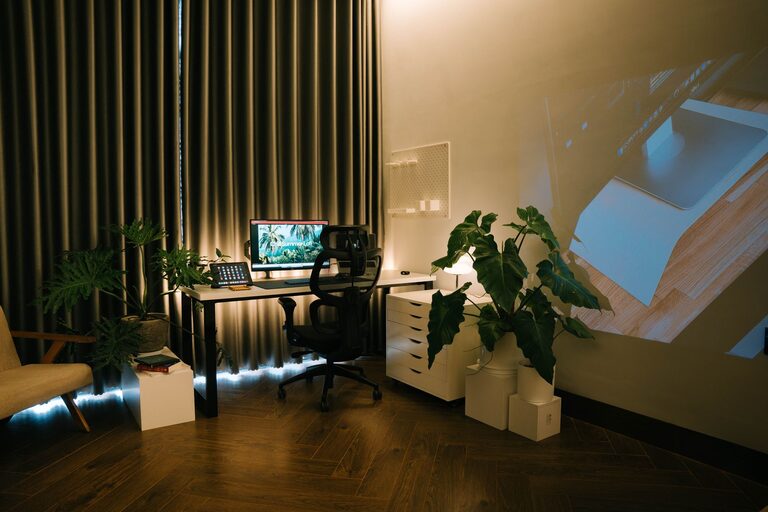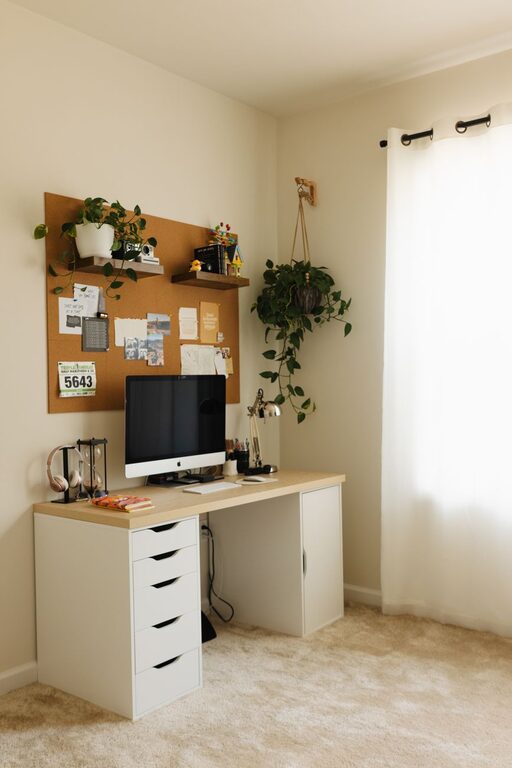

Creating a productive home office environment is essential for anyone working remotely or managing tasks from home. A well-designed workspace can increase your focus, comfort, and efficiency. Whether you have a dedicated room or a small corner, these tips will help you set up a space that supports your best work.
Choose the Right Location
Your home office should be in a quiet, low-traffic area of your home whenever possible. This helps minimize distractions and interruptions. Consider the following when selecting a spot:
– Near a window for natural light, which can boost mood and energy
– Away from noisy areas like the kitchen or living room
– Close to necessary power outlets and internet connections
If space is limited, using a room divider or a screen can help separate your workspace visually and mentally.
Invest in Ergonomic Furniture
Comfort is key to maintaining productivity during long work hours. Ergonomic furniture supports your body and reduces strain. Look for:
– An adjustable chair with good lumbar support
– A desk or table at a comfortable height
– Monitor stands or laptop risers to keep your screen at eye level
You might also consider a standing desk or the option to alternate between sitting and standing.
Organize Your Workspace
A clutter-free area helps clear your mind and focus on tasks. Try these organization tips:
– Use shelves, drawers, and filing cabinets to store documents and supplies
– Keep frequently used items within reach
– Declutter your desk at the end of each day to start fresh tomorrow
– Employ cable management solutions to keep cords tidy
Label storage containers and use trays to keep small items like paper clips and pens organized.
Control Lighting and Temperature
Proper lighting reduces eye strain and fatigue. Aim to:
– Maximize natural light while controlling glare with blinds or curtains
– Use layered lighting, such as overhead lights combined with task lighting
– Choose bulbs with a cool-white or daylight color temperature for alertness
Maintaining a comfortable temperature (around 68–72°F or 20–22°C) also supports concentration. Use fans, heaters, or humidifiers as needed.
Minimize Distractions
Working from home can come with many distractions. To stay focused:
– Use noise-cancelling headphones or play background music suited to concentration
– Turn off non-essential notifications on your devices
– Set clear boundaries with family or roommates about your work hours
– Consider apps or website blockers to limit access to distracting sites during work time
Personalize Your Space Wisely
Adding personal touches can make your office inviting and motivating but avoid overdecorating. Some ideas:
– Add plants to improve air quality and add a calming presence
– Hang inspiring artwork or motivational quotes
– Use colors that help you feel energized or calm, such as blues or greens
– Incorporate a vision board or calendar to track goals and deadlines
Set Up Technology for Efficiency
Reliable technology is crucial for smooth remote work. Ensure:
– A fast and stable internet connection
– Proper setup of your computer, printer, and other devices
– Backup solutions like cloud storage or external drives
– Updated software for security and productivity tools like calendars and project management apps
Test your equipment regularly to prevent unexpected issues.
Maintain a Healthy Routine
A productive home office goes beyond the physical space. Encourage habits that support work-life balance:
– Set regular working hours and take scheduled breaks
– Create a morning routine to transition into work mode
– Take short walks or stretch during breaks to refresh your body and mind
– Keep snacks and water nearby to stay energized and hydrated
Final Thoughts
Designing a productive home office environment is about creating a comfortable, organized, and inspiring space tailored to your needs. By paying attention to location, ergonomics, organization, and routines, you can foster a work setting that helps you perform at your best every day. Start small, prioritize changes that make the biggest difference, and adjust your setup as you discover what works best for your productivity.