Creating a home office that feels both cozy and productive is essential for anyone working remotely or managing tasks from home. A thoughtfully designed workspace can boost your focus, reduce stress, and help you maintain a healthy work-life balance. Here are practical tips to help you set up a home office that encourages comfort and efficiency.
Choose the Right Location
Prioritize Natural Light
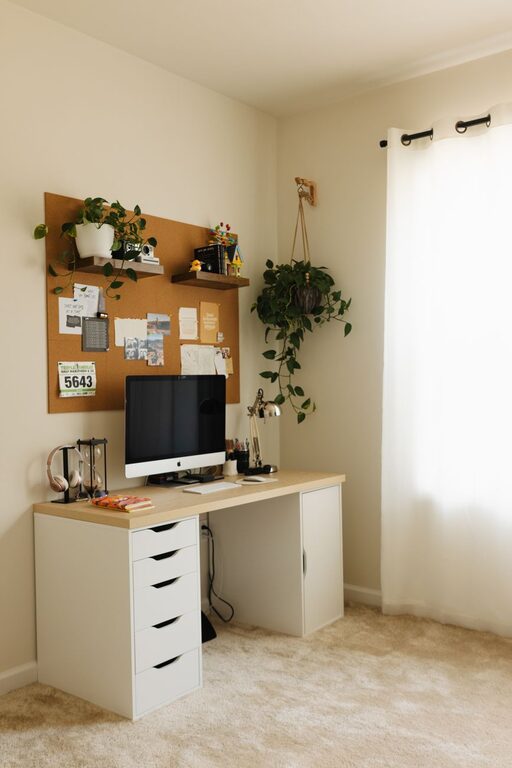
Natural light is a key element in creating a pleasant and energizing workspace. Try to position your desk near a window to enjoy daylight, which can improve mood and reduce eye strain. If natural light is limited, use soft, adjustable artificial lighting that mimics daylight.
Minimize Distractions
Select a quiet part of your home where you’re less likely to be interrupted. This can be a spare room, a corner of a bedroom, or even an area in the living room with a room divider. The goal is to have a designated area that separates work from leisure.
Select Comfortable, Functional Furniture
Invest in an Ergonomic Chair
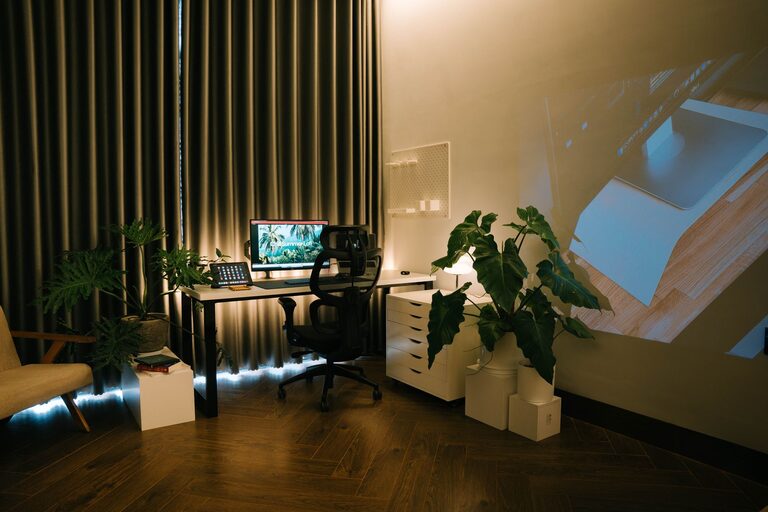
Since you’ll spend many hours sitting, a comfortable chair with good back support is essential. Look for options that are adjustable so you can tailor the height and tilt to your needs.
Get a Spacious Desk
Choose a desk with enough surface area to hold your computer, notepad, and other essentials without feeling cluttered. Consider desks with built-in storage or drawers to keep supplies organized.
Organize Your Space
Use Storage Solutions
Keep your workspace tidy by using shelves, filing cabinets, and desk organizers. Clear surfaces promote focus and make it easier to find what you need quickly.
Declutter Regularly
Set aside time once a week to tidy up. Remove unnecessary items and file documents to maintain an organized environment.
Create a Personalized, Inspiring Atmosphere
Add Plants
Indoor plants not only improve air quality but also add a touch of nature that can reduce stress and increase creativity. Choose low-maintenance plants such as succulents or snake plants if you’re new to plant care.
Decorate Thoughtfully
Incorporate personal touches like artwork, photos, or inspirational quotes. Use colors that make you feel calm and focused, such as soft blues and greens.
Optimize Technology and Tools
Use Reliable Equipment
Ensure you have a fast internet connection, a good-quality monitor, keyboard, and mouse. Tools that function well help reduce frustration and improve productivity.
Manage Cables
Use cable organizers or clips to keep wires neatly arranged. A clutter-free desk surface can help maintain a clear mind.
Establish a Routine and Boundaries
Set Work Hours
Define specific start and end times for your workday to maintain balance. This helps you focus during work hours and relax afterward.
Take Breaks
Incorporate short breaks throughout the day to stretch, hydrate, and rest your eyes. This can improve concentration and prevent fatigue.
Pay Attention to Comfort Details
Control Temperature
Make sure your home office has adequate ventilation and heating or cooling to keep you comfortable year-round.
Use Soft Textiles
Add cozy elements like a soft rug, seat cushions, or a throw blanket to make your space inviting and comfortable.
Maintain Good Posture and Lighting Habits
Set Up Your Screen Properly
Position your computer screen at eye level and about an arm’s length away to reduce neck and eye strain.
Choose the Right Lighting for Tasks
Combine ambient light with task lighting, such as a desk lamp, to ensure your workspace is well-lit without harsh glare.
—
By implementing these tips, you can create a home office space that feels welcoming and supports your productivity. A balanced environment where comfort meets functionality helps you stay motivated and focused, making your work-from-home experience more enjoyable and efficient.