
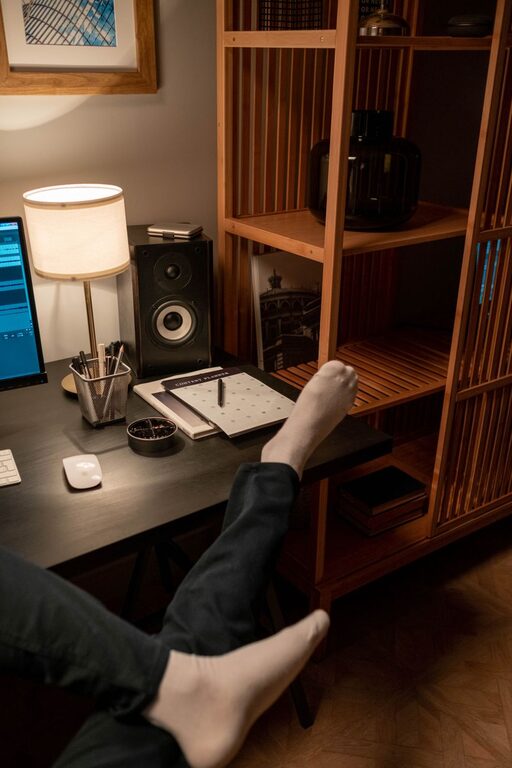
Creating a comfortable and productive home office space is essential, especially as more people work remotely. A well-designed workspace can improve focus, reduce stress, and increase overall job satisfaction. Whether you have a dedicated room or a small corner, these tips will help you create an environment that supports your best work.
Choose the Right Location
Selecting the right spot for your home office sets the foundation for productivity.
– Natural Light: Try to position your desk near a window to take advantage of natural light. Sunlight can enhance mood and reduce eye strain.
– Quiet Area: Find a space away from high-traffic or noisy parts of your home to minimize distractions.
– Space: Ensure there’s enough room for your desk, chair, and any additional equipment or storage you need.
Invest in Ergonomic Furniture
Comfort is key for long hours of work. Ergonomic furniture helps maintain good posture and prevents discomfort.
– Ergonomic Chair: Use a chair with adjustable height and good lumbar support.
– Desk Height: Your desk should be at a height that allows your forearms to rest parallel to the floor when typing.
– Keyboard and Monitor Placement: Position your keyboard and mouse so your wrists are straight, and place your monitor at eye level to avoid neck strain.
Organize Your Workspace
An organized desk helps clear your mind and keeps important items within reach.
– Declutter Regularly: Remove unnecessary items to reduce distractions.
– Storage Solutions: Use shelves, drawers, and organizers to keep documents and supplies tidy.
– Cable Management: Use clips or sleeves to keep cords organized and prevent tangling.
Personalize Your Space
Adding personal touches can boost motivation and make your workspace inviting.
– Plants: A small plant can improve air quality and add a touch of nature.
– Artwork or Photos: Display items that inspire or make you happy.
– Colors: Incorporate colors that promote calmness or focus, such as blues or greens.
Optimize Lighting
Good lighting reduces eye fatigue and improves focus.
– Layered Lighting: Combine natural light with overhead and task lighting.
– Adjustable Desk Lamp: Use a lamp with adjustable brightness and positioning for detailed tasks.
– Avoid Glare: Position screens perpendicular to windows and use blinds or shades if needed.
Manage Noise Levels
Controlling ambient noise helps maintain concentration.
– Noise-Canceling Headphones: Useful if your environment is noisy.
– Soft Furnishings: Carpets, curtains, and cushions can absorb sounds.
– White Noise Machines: These can mask distracting noises.
Set Boundaries
Creating clear boundaries encourages work-life balance.
– Dedicated Workspace: Keep work materials in one area to separate work from leisure.
– Set Work Hours: Define your working schedule and communicate it with household members.
– Take Breaks: Regular breaks improve focus and prevent burnout.
Enhance Technology Setup
Reliable technology is the backbone of an efficient home office.
– Stable Internet: Ensure your Wi-Fi connection is fast and reliable.
– Quality Equipment: Invest in a good computer, monitor, keyboard, and mouse.
– Backup Solutions: Use cloud storage or external drives to protect your work.
Maintain Comfort Throughout the Day
Staying comfortable encourages sustained productivity.
– Temperature Control: Use fans, heaters, or air conditioners to maintain a pleasant temperature.
– Hydration: Keep water nearby and remember to drink regularly.
– Movement: Stretch or take short walks to reduce stiffness and fatigue.
Final Thoughts
Designing a home office that suits your needs doesn’t have to be complicated or expensive. By focusing on the right location, ergonomic furniture, organization, lighting, and boundaries, you can create a workspace that helps you stay comfortable and productive. Remember to personalize your space and maintain good habits to enjoy an efficient and enjoyable work-from-home experience.